Article List
Advertisement

Temu’s Ultimate Manual: From Zero to Hero within Minutes
Temu
Now, Temu is the most popular ecommerce app that sells everything, including but not limited to electronic gadgets, garments, and homeware, at reasonably good prices. Whether one uses it for the first or plans on making the shopping experience even better, this guide will help in learning how to use Temu, with some tips for the best results out of this application. Get Started with Temu1. Download the ApplicationStarting to work with Temu is not at all complex: it is enough to download the app from Temu’s page on AppsFreeStore and start installing it straight away.2. Creating an Account1. Click the “Sign Up” button. You are permitted to sign up using your email, phone number, or using your Google or Facebook accounts.2. If you already have a Temu account, kindly log into the site with your username and password.Unquestionably, the benefits are clear, if you create an account, you will be able to save items and favorite them, track orders, and receive unique offers. Browse through Temu NowOnce the account is entered, the main interface is divided into several parts:1. Home: Here, users are allowed to view the highlighted products, flash sales, and trending items.2. Categories: View different categories like Electronics, Fashion, Home & Kitchen, amongst others. Each category is subdivided into subcategories to make it easier to navigate through.3. Cart: View your cart to see selected items and proceed with checkout.4. Profile: It allows seeing account settings, history, and contacting the customer support service. Shop Now Officially on Temu1. Product ListingJust tap on any category you’re interested in. Go inside and see the items, or, if you like, use the top search bar and go directly to the product you want.Use filters for easier price searching, rating, or even specific features. You can sort items by popularity or by the time of arrival.2. Item ChoosingClick any to get details like price, description, specification, and customer reviews. Always check the product ratings and read several reviews for an informed idea about the quality.If desired, select size, color or quantity and click Add to Cart. Once selection is made, click “Add to Cart.” Click here to continue shopping or go directly to your cart. Know the Checkout Process1. Check Your CartClick the cart icon and review all items you want to buy. Change the number of items in each or remove them if needed. If it all looks good, click “Check out.”2. Enter Shipping InformationFill in your actual shipping information: valid name, address, and contact data for successful delivery. Choose your preferred option of shipping in view of your reasonable balance between speed and cost.3. Choose Payment OptionsTemu allows for payment through credit or debit cards besides PayPal or any other digital wallet. Make sure you have gotten discount codes/coupons from our site and ensure you use them on check out to get the discount.Scroll down the page of your order summary, then tap “Submit Order” to complete your purchase. Some Tips and Tricks while Using Temu1. Maximize DiscountsGet some of the best-selling items at cheaper rates, which can be found right on the homepage. Sign up with them to get a newsletter that will give you special discounts and give early warnings of sales. Earn different points at real purchases by playing several games and challenges available in this app.2. Leverage Wish ListsCreate wish lists for items you’re interested in but not ready to purchase immediately. This helps track price changes and receive alerts when items go on sale.3. Customer CareThe profile section in the app has customer support for any issues regarding orders, whereas its shipping and return, or questions on how to manage an account, are provided in the FAQs. Returning GoodsTemu surely have return policies, whereby one can return it within 90 days, especially for customers who are not quite satisfied. Check the return policy in detail.1. Initiate a Return: Sign into your account, click on your profile, select order history, then choose an item to return.2. Instruction Based Return: Return an item based on instructions given by Temu. Final ThoughtsUsing Temu will definitely be quite an exciting experience, as long as it is used rightly. Follow these simple steps to use some tips for more smooth experience and hence effectively manage your orders, and you’re ready to go for great shopping on Temu. Happy shopping!
How to Successfully Manage My NFL Account?
NFL
How to create an account of NFL?An account of NFL is easy and free to make. Go to NFL's official website (NFL.com). Follow these steps.1. Click on "Sign Up."2. Fill in the necessary details like your slogan, name, email address and password.3. Check your inbox for an email to confirm your email address.4. Answer any other prompts needed to set up your account. What do I get if I have an NFL account?Having an NFL account allows you to access several features and benefits including.Exclusive Content. Live games, highlights, and on-demand videos.NFL Network. Original programming as well as expert analysis.NFL Fantasy Football. Play, Keep and Customize Your Fantasy Leagues.NFL Shop. Buy licensed team gear and memorabilia.Tickets. Buy tickets to games and events.Settings. Choose the settings and preferences for your account. How can I access my NFL account?Log into your NFL account over at NFL. Head to blizzard.com and click on the Log In button in the right-hand corner. Login with your email address and password, then hit "Log In." If you have trouble logging in, use the reset password “Forgot Password”. What to do if I forgot my password?If you forgot your password, follow the steps below to reset your NFL account password.Restoring your password is a simple feat with these steps in the event you lose one.1. Go to the NFL login page.2. Hit the option that says 'Forgot Password?'3. Enter Email ID linked to your account.4. Follow the instructions sent to your email to reset your password. How to update my personal information?1. Sign in to your NFL account.2. Click your profile icon/name at the top right.3. Click on Settings or Account Settings.4. Click personal information.5. Make necessary changes in your information, and finally save them. How to update Email or password?If you want to update your email address or password.For Email Address.1. Log in to your account.2. Navigate to "Settings" or "Account Settings."3. Find the Email Address section4. Type your Email Address you want to move and verify. For Password.1. Log in to your account.2. To go to "Settings" or "Account Settings"3. Find the "Password" section.4. Provide your current password, followed by your new password, repeated twice for confirmation. Would I be able to connect my NFL record to other platforms or applications?For instance, linking your NFL account with Twitter and Facebook are some of the ways you can share content and status updates with friends. Also, if you have an NFL subscription, you may be able to log in in some streaming services and mobile apps. How do I sign up for NFL+ or other premium services?1. Signing into NFL account.2. Go to the page of the service titled "NFL+" or some variant of that name.3. Choose Subscription Plan of your choice.4. Fill out your information to finish your purchase. How to cancel my NFL+ or other premium service subscription?1. Sign in to your NFL account2. Navigate to either "Settings" or "Account Settings."3. Find the subscription or billing section4. Locate the service you no longer wish to pay for and click on cancel subscription5. Follow the prompt to confirm your cancellation.
How Can I Fully Enjoy the Videos in the NFL?
NFL
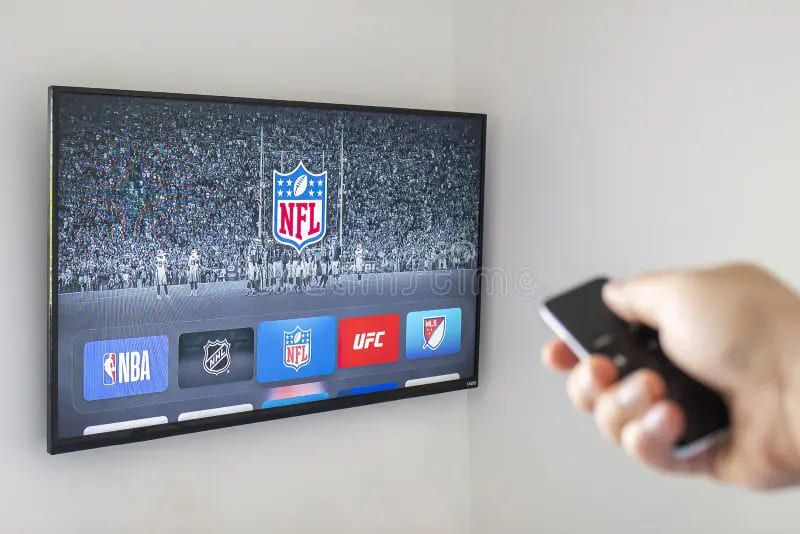
Do I need NFL subscription to stream videos in the app?NFL content is free, but some also requires an NFL subscription or cable, satellite TV subscription that includes NFL Network. See the app for details on which content is available at your subscription tier. How can I sign up for NFL subscription?From here, head to where subscriptions are located and sign up for the NFL. The steps to choose a plan and enter your credit card info will be shown to you. With support for credit cards and PayPal. Is it possible to cast NFL videos to my television?Of course, you can cast or AirPlay NFL videos to your TV based on your device and such TV. Tap the cast icon in the video player and follow the onscreen prompts to connect to your TV. How to search for a particular video or game highlight?Search within the app to browse for any sort of videos or highlights from a game. Filter by keywords including player names, team names, and game dates. What are the parental controls?However, unlike many streaming services, the NFL does not have in-house parental controls, but you can use your device to restrict access or set up third-parents control apps. How to change video quality on NFL?In the settings of the app, you can change the quality of the video. Second recommendation is to check out options to switch the stream quality as per your Internet connection speed. You need a faster connection for a higher quality. Can I download it for offline viewing?If you're looking to catch up on the best plays and highlights, the NFL does permit you to download certain videos for offline viewing. Find the download button on your desired video. Be mindful, for you might be limited by storage space on your device. How do I report an issue with an NFL video?If there's an issue with a video, it won't play or is buffering, you can report the problem in the app by going to help or feedback option. The more detail you can give, the better for the NFL team who will need to investigate this issue. How to improve my streaming experience in terms of video?To have a smooth experience while streaming, get good internet speed and make sure to close any running apps in the background and have the app updated to the latest version. If still you are facing issues, restart your device or reset your network settings. Can I post NFL videos on social media?Yes, you can share many NFL videos directly to social media, such as Facebook, Twitter, and Instagram. On the video you want to share, locate the share icon and select the platform you would like to share it on. Where else can I reach the NFL help center or support for the NFL?It can be found going circular via settings or "more" in the app on NFL's help center. There, you will discover FAQs, troubleshooting techniques, and information on how to contact customer support. Where can I find help regarding the billing or subscription related problems?To resolve any billing or subscription issues, contact customer support through the app or NFL's website. They can help with account and billing issues as well as canceling a subscription.

Basic Information You Need to Know to Start with NFL
NFL
What is the NFL?NFL is a mobile and desktop application that gives fans access to National Football League (NFL)-related content. Comprising all live game streaming and highlights, scores, news, stats, and exclusive content. How do I download the NFL?NFL is accessible on both iOS and Android. Just look for "NFL" in the corresponding store such as App Store and Google Play, then hit Install and you can get to download the app for free. Is the NFL free to use?The NFL which is also free to download and use, though some features require a subscription, like live game streaming, which is offered to NFL Game Pass subscribers (another paid service). Although subscriptions are required to view much of the content, you can still get some news, scores, highlights and more without a subscription. What devices does the NFL support?NFL is compatible with many devices such as:Smartphones and tablets: iPhones, iPads, and Android smartphones and tablets.Smart TVs : Apple TV, Amazon Fire TV, Android TV, Roku and some Samsung Smart TVs.Desktop: The NFL is also available in desktop browsers on the web. What are the outstanding features of NFL?Here are some of the features that NFL has:Watch Live Game: With NFL Game Pass subscription.Recent Game Highlights: Highlights from recent games.Scores and Schedules: Real-time scores and schedules of future games.News and Analysis: Stay up-to-date with the latest on news, articles and expert analysis.Stats and Standings: Includes stats and standings.Fantasy Football: While you can also keep up with player statistics.Behind-the-Scenes: Enjoy interviews, b-roll, and more. What is NFL Game Pass?NFL Game Pass offers a subscription that gives its users access to live streaming, full game replays, condensed games, and more exclusive content. You can buy it for a season or a month and is the best way to experience NFL games intact. How to get a NFL Game Pass Account?An NFL Game Pass account is required to view live games on the NFL. Here's how to do it:1. Sign in to your NFL account.2. Go to "Living" tab.3. Choose the game that you would like to view.4. You'll be asked to sign up for an NFL Game Pass subscription if you don't already have one. What to do if you have difficulty signing in or accessing content?If you have an uninterrupted stream of internet connection, the following steps are what you should do:1. Login Credentials Before anything else, double-check what you have typed correctly.2. Ensure that your app runs on the latest version.3. Alternatively, uninstall and reinstall the app if it still does not play fair.4. Reach out to NFL customer service. How is NFL usage permitted outside of the US?The NFL is available internationally, but some content (like live broadcasts of games) may be limited depending on your geographical location. For more on international availability, check the terms for NFL Game Pass. How do I update the NFL?iOS: Launch the App Store, tap on your profile icon at the top of the screen and scroll down to find pending updates. Tap "Update" next to the NFL.Android: Go to the Google Play Store; Tap on the Menu icon; My apps & games; Scroll down until you see the NFL then select Update. Can I stream the NFL on multiple devices simultaneously?While it is true that you can use the NFL on a few different devices, your NFL Game Pass subscription is usually linked to a single account. You can log in on multiple devices but your streaming may be capped to a certain amount simultaneously.

Are There Any Lesser-Known Functions of the NFL?
NFL
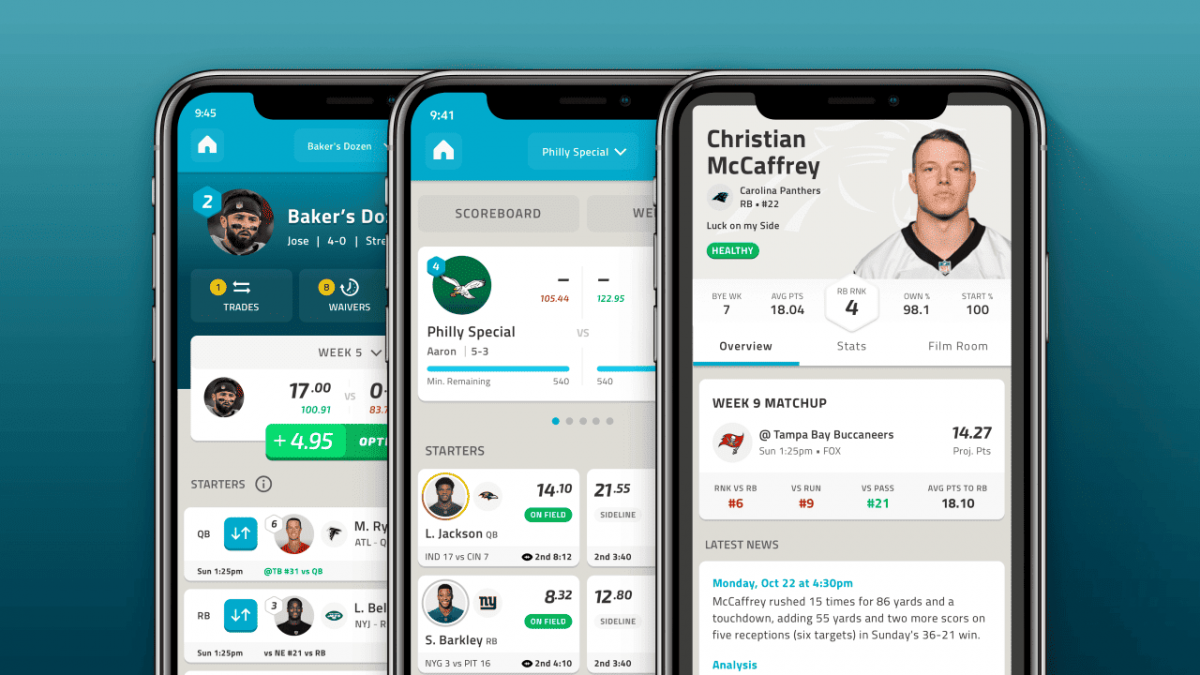
Is it possible to personalize my NFL experience?Certainly, the NFL is quite customizable. You can customize your home screen with your favorite teams, which will move that content to the top. You could also subscribe to game time, score, and breaking news alerts, if that's what you'd like. How do I leverage the NFL to find a fantasy football edge?There are a few tools from the NFL to help you as a fantasy football player. Sections titled "Fantasy" will have real-time player stats, projections, and details on injuries and thus will be extremely valuable for aiding decision making. You can even create team alerts for your fantasy stars to never miss a beat on how they are performing. In addition, there is a "Fantasy Showdown" where you compete with friends as well as other users in daily fantasy games. Am I able to stream live game broadcasts on the radio through the NFL?Absolutely! NFL provides a Live Radio feature which enables you to listen to live radio broadcasts of games. Especially if you're in some place where you can't really catch the game, or just want to do something while casually listening. Offers home and away team radio broadcasts, giving you different perspectives of the game. How to follow my favorite players with the NFL?The NFL has a section under "Players" where you can follow your players. You can click on a player to see their stats, career accomplishments and recent news. You can also enable alerts for individual players in case someone makes a big play, or there is news regarding a relevant player. Where can I find historical NFL data and statistics?NFL has a more elaborate "Stats" page, one that includes historical stats. Ongoing historical records. You can sift through player and team records, season summaries and historical game data. Nice feature for fans who like to get into the numbers and know the context behind games today. Is it OK to use NFL to conduct polls and fan discussions?The NFL also boasts a "Fan Zone" for polls, quizzes and chatter with fellow fans, which is a light-hearted way to have a bit of fun with the community and express your views on everything from games to players. You can also accrue points and badges for participating, introducing a gamification aspect to your experience. How to use NFL to schedule viewing calendar?NFL "Schedule" provides information for the full NFL schedule, including times, locations, and match-ups for games. It allows you to set reminders about upcoming games so that you do not miss a single kickoff. The app also includes individual "Game Center" pages for each game, where you can find live updates, stats, and highlights as the action unfolds. Am I able to shop the NFL?The NFL may not have a native shopping function, instead linking out to the official NFL Shop. Through the app, you can also shop for jerseys, hats, and other merchandise. A simple way to support your best team and players. How can I send feedback or report a problem to the NFL?The NFL provides a "Feedback" feature to report your review, comments, or any bug you find. It's a straight line to the app's development team, and your feedback can help other users have a smoother experience.
What Measures Should I Take to Pay for Parking?
ParkMobile
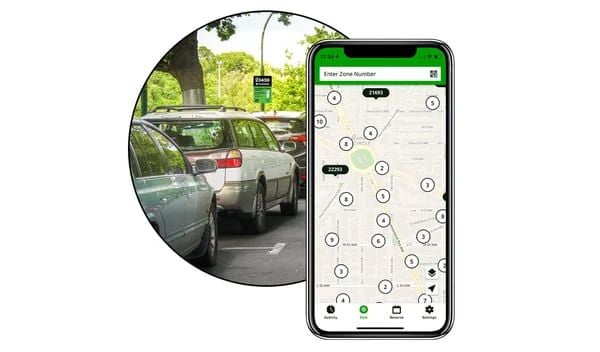
How to pay parking fee by ParkMobile?Just pay parking fee by selecting your parking position, entering the parking code, choosing the parking time and paying by credit cards or debit cards. What paying methods does ParkMobile support?ParkMobile supports a number of payment methods, including credit cards, debit cards and PayPal. Do I need to connect the internet when using the ParkMobile?Yes, but after finishing the transaction, the app can record your parking information even in the situation without internet. What to do if I park longer than the scheduled time?If you park longer than the scheduled time, you can extend your parking time in the all. If you don’t pay for your extra money, you will be fined. Can I use ParkMobile for multiple cars?Certainly, you can add multiple car numbers in the app to pay parking fees for them. Does ParkMobile support a parking reminder?Sure, it can send a notification to you when your parking time is going to end to let you renew parking fee or drive your car away in time. What should I do if I meet payment issues?If you meet payment issues, you can look for the frequently asked questions in “Help Center” or connect the customer services for help. Is ParkMobile safe enough?ParkMobile protects your payment safe through industry-standard encryption tech to ensure your trust in paying securities. Where can I use ParkMobile?ParkMobile’s services are covered in multiple cities and regions all over the world, you can check whether the city you are in supports ParkMobile or not, or look for the ParkMobile sign in parking space.
What If I Want to Manage My ParkMobile Account?
ParkMobile
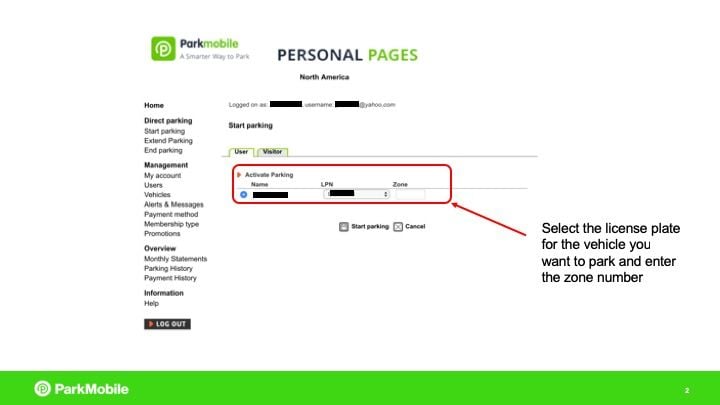
How to change the personal information in ParkMobile?Click Settings or Personal Information where you can edit or update your personal information, including name, e-mail address, phone number and vehicle information. After editing, click save to reserve your account information. How to add or delete paying methods?Click Settings and choose Payment Methods, click “Add Payment Method” to input new credit cards, debit cards or mobile payments such as Apple Pay or Google Pay, and if you want to delete the present payment method, just click “Delete” near that payment method. How to view parking history?Just click “Parking History” or “History”, you can see all the records of your parking, including parking positions, times and fees. How to set the parking expiration reminder?In Settings, you need to click “Notification” or “Reminder” to open the parking expiration reminder. You can also select the time of reminding, such as 15 or 30 minutes ahead. How to connect the customer support?Enter “Help Center” or “Support” to see frequently asked questions and chat with the customer service. There is another way that you can connect them by e-mail or phone call. How to delete the account?You need to enter Settings and click “Account Management” or “Account Settings”, then you will see “Delete Account”, just click it and follow the hints to delete the account. But do remember, after deleting the account, all your information and parking history will also be removed forever. How to reset the password?When you enter the log in page, you just need to click the “Forget Password” option, And then, input the e-mail address you used when registering last time, you will receive an e-mail from ParkMobile and you can follow what it teaches you to find your password back. How to update the ParkMobile?It is not an intentional option because when the app needs to be updated, it will show on your phone. You can check your App Store or Google Play Store, if there is any notification that this app need to be updated, just click “Update” and you will get the latest version of ParkMobile, if there is not any information to notice you to update, you are supposed to do nothing.
Things You Need to Know to Get Started with ParkMobile
ParkMobile
What is ParkMobile?ParkMobile is a convenient mobile app that allows users to pay parking fees on mobile phones. No matter you are students, teachers, workers or visitors, you can use is by downloading from App Store or Google Play Store, visiting the official website or making a free call. How can I create a ParkMobile account?Creating a ParkMobile account is very easy. First, you need to download it, then open the app and click “Create An Account”, this option may be under the Settings. Later on, enter your e-mail address, create a password, agree to the terms of use, and then click “Register”. In addition, enter your car number and conditions, the account creation is finished. What’s more, do remember to add your payment information by navigating to the settings to payment method. How do I start a parking session with ParkMobile?Starting a parking session with ParkMobile is quite easy. Open the app, click “Start to Park”, select the space and position you want to park, enter your parking time, make confirmation, after all these operations, you have completed. What should I do if I encounter issues with the ParkMobile app?If you encounter issues with ParkMobile, here are some skills to do. Firstly, check your connection. Ensure your phone has a stable 4G or 5G connection because unstable network can lead to app failure. Secondly, restart the app. Sometimes you can solve the problem by simply restarting the app. Then, update it. Make sure the version you are using now is the latest and usually updates can fix the bugs and improve the functions. What’s more, confirm your account information, car number and payment information are correct. Moreover, if the issue still can not be solved, please connect the services for help, you can find the customer service information on official website or “Help Center”. Is there a fee for using ParkMobile?Creating a ParkMobile account is usually free, but if you create your account by calling a phone, there may be 5 dollars’ bill for registration. And the parking fee differs according to your parking space and areas. Can I use ParkMobile if I don't have a smartphone?Although the mobile app is the most convenient way to use ParkMobile, you can also pay your parking fee through official website or calling. How do I ensure my account is secure?To keep the security of your account, you can use a secure and unique password, check your account history regularly to avoid abnormal use.

Figure out the Detailed Information about ParkMobile Coupon
ParkMobile
What is a ParkMobile coupon?ParkMobile coupon is a discount or sales promotion tool released by the app called ParkMobile which allows users to enjoy discounts or even free of charge when paying parking fees after using these coupons. Coupons are usually provided in code form, users can enter the code to get relevant discounts when paying. How to get ParkMobile coupons?There are various ways to get ParkMobile coupons. ParkMobile regularly publish coupons information on its formal website and app, users can check these platforms to get latest coupons regularly. And you can also subscribe the e-mail or follow the ParkMobile’s social account to receive the coupons information in time. What’s more, it sometimes collaborates with its business partners or participates in certain activities to publish its new coupons, users can get these coupons by participating these activities or focusing the channels of business partners. How to use ParkMobile coupons?It is very easy to use ParkMobile coupons. First, gain the coupon code, then, select the area you want to park and enter the parking area code on the app. After that, find “coupons” or “discount code” input box, enter the code you have. Finally, make sure that you have finished the payment. How long is the coupon valid?Every coupon has its certain valid period which is usually labeled clearly. Users need to use the coupon before it expires, for the reason that expired coupon can not be uesed. Can the coupons be used with other discounts or promotions?It depends on the specified coupon and situation. Some coupons can be used with other discounts and promotions but some can not. Before using these coupons, users must read the introductions carefully. If the coupons can not be used, what should I do?If you can not use the coupons, you can try the following solutions. First, make sure that the coupon is still in its valid period. Second, check if it meets all the limited conditions to use, such as minimum consumption amount or specific parking area. If the problem is still remained, turn to ask for “Help Center” in the app, or directly connect the customer support team. Can the coupons be transferred to others?Usually, the coupons are bound to the certain users’ accounts and can not be transferred to others. Every coupon has its specified limitations, users should make sure they meet them all. How to check the coupon history I have used?You can check the coupon history you have used in ParkMobile app. The specified processes are click “Parking History” or “Coupon History”, and then check the coupons you have used and their detailed information, including use date and discount amount. Does ParkMobile offer Halloween promotions?Although there is no report from ParkMobile about Halloween promotions last year, users can still open ParkMobile app or visit the official website to gain other promotions. A number of other promotions and discounts are all waiting for you. What is the best ParkMobile coupon today?The best ParkMobile coupon today is 20 percent discounts. You can see the everyday best coupon on the top of the page. In general, the biggest coupon can be used in all products only they are in ParkMobile. Do students have special discounts or promotions in ParkMobile?Of course, ParkMobile pays attention to the students and aims to promote their shopping experiences. If you are a university student or a student in high school right now, ParkMobile is truly suitable for you. But you need to offer some information to confirm that you are a student. And more detailed information is shown in the “Student Discounts” section of ParkMobile official website.