Article List
Advertisement

YouTubeアプリ:新規ユーザー向けセットアップガイド
YouTube
ダウンロードとインストールまずはスマホに YouTube アプリをインストールします。iPhone なら App Store、Android なら Google Play ストア で「YouTube」と検索し、公式のアプリをダウンロードしてください。アプリ名はそのまま「YouTube」と表示され、無料で利用できます。ストアからインストールしてアイコンをタップすればすぐに起動できます。 カウント登録の流れYouTube をフル機能で使うには Google アカウントでログインする必要があります。アプリを開いたら画面右下(または右上)のプロフィールアイコンをタップし、「ログイン」を選択します。その後「アカウントを追加」→「アカウントを作成」を選び、「自分用」「子ども用」「仕事/ビジネス用」などから目的に合うものを選びます。必要情報(名前・生年月日・メールアドレスなど)を入力すると、Googleアカウントが作成され、YouTube の利用が可能になります。 最初に確認しておきたい設定ログインしたら、まず通知とプライバシーの設定を確認しましょう。設定画面では、チャンネル登録した動画やライブ配信の通知、コメント通知などを細かく設定できます。必要な情報だけを受け取れるように、自分に合った設定にしましょう。また、プロフィールアイコンからYouTubeチャンネルの設定に進み、表示名やアイコン画像を設定すると、コメントや動画投稿がより自分らしくなります。プライバシー設定では、再生履歴や検索履歴の管理もできるので、自分の使い方に合わせて設定すると安心です。 アプリの主な機能YouTubeアプリの最初の画面にはいくつかのタブがあります。「ホーム」には、おすすめ動画や視聴履歴に基づいた動画が表示されます。「ショート」タブでは短い動画を楽しめます。「登録チャンネル」タブでは、登録したチャンネルの新しい動画をまとめて見られます。画面下の「探索」タブでは、テーマ別の人気動画を探しやすく、検索バーからキーワードで検索もできます。タブをタップするだけで簡単に移動でき、すぐに操作できるはずです。 最初の視聴とチャンネル登録インストールとログインが終わったら、好きなジャンルの動画を見てみましょう。興味のあるキーワードで検索すると、関連動画がたくさん出てきます。お気に入りのチャンネルを見つけたら、「登録」ボタンを押してチャンネル登録しましょう。こうすることで、新しい動画がアップロードされたときに通知が届き、好きなコンテンツを見逃さずに済みます。

TikTokの基本的な機能を利用目的別に解説
TikTok
日常で見つけた面白いことを手軽にシェアしたい場合 日々の暮らしの中で面白いことや、ちょっとした発見があった時、誰かに話したくなることってありますよね。TikTokなら、スマホ一つで撮影から編集、投稿まで手軽にできます。アプリを開いて、画面下の真ん中にある「+」ボタンをタップすれば、すぐに撮影を開始できます。動画の雰囲気は、音楽やエフェクト、フィルターで手軽に変えられます。動画の長さは15秒から10分まで選択可能で、短時間でも印象的な作品を作れます。編集済みの動画を投稿すると、アプリ内の「おすすめ」フィードに掲載され、フォロワー以外にも興味を持ちそうな人に動画がおすすめされるため、多くの方に見てもらえる機会が増えます。 趣味やスキルを発信して仲間を見つけたい趣味の料理、DIY、ダンス、メイクなどのスキルを発信し、同じ関心をもつ仲間とつながりたい場合、TikTokのエフェクトや音楽ライブラリ,テキスト・字幕機能,ハッシュタグ検索が役立ちます。撮影した動画に合う音源を付けたり、わかりやすい説明テキストを入れたりすることで視聴者の理解を助け、人気のハッシュタグを付けることで関連コンテンツに興味を持つ人のフィードに表示されやすくなります。アルゴリズムは視聴履歴や「いいね」「コメント」などの行動をもとに、おすすめ動画を精度高く表示するため、フォロワー数が少なくても共感を得られやすい点が特徴です。自分の興味のあるジャンルを検索タブから探して、似た動画を見つけることもできます。 仕事でブランドや商品をPRしたい自分のブランドや商品をより多くの人に認知してもらいたい場合、TikTokではショート動画投稿機能を中心に、TikTok Shop(アプリ内で商品を探して購入できる仕組み)やライブ配信機能を活用できます。ショッピング機能では、商品を動画内で紹介し、視聴者がそのままアプリ内で購入ページへ移動できるため、外部リンクなしで購買につなげられます。また、ライブ配信を使えばリアルタイムで視聴者とやりとりしながら商品説明やQ&Aを行い、コメントやバーチャルギフトを通じて視聴者との交流を深められます。ライブ中に商品をピン留めして表示し、そのまま購入できる機能もあり、動画→ライブ→購買へとつなぐことが可能です。 興味のある情報や流行を把握したい場合TikTokを「見ることだけ」を目的に使う場合、アプリを開くと最初に「おすすめ」フィードが表示されます。これは、あなたの視聴傾向や好みに合わせてAIが関連性の高い動画を自動で配信するものです。使っていくうちに、おすすめの内容も変わっていきます。気になるテーマを検索して動画を探せば、最新のトレンドや情報を効率よく集められます。また、「フォロー」タブを選ぶと、自分がフォローしている人の最新投稿だけを見ることも可能です。動画の画面には「いいね」「コメント」「シェア」「保存」のアイコンがあり、気に入った動画にすぐにリアクションできます。 リアルタイムな交流や配信を希望される場合TikTokのライブ配信機能は、フォロワーや視聴者とのリアルタイムな交流に役立ちます。特定の条件を満たすことでライブ配信ボタンが利用可能になり、視聴者とのチャットやリアルタイムの質疑応答、参加型コンテンツなどが行えます。配信中はコメントにすぐに返信したり、視聴者からのデジタルギフトを受け取ったりすることもでき、双方向のコミュニケーションが可能です。さらに、ゲストを招いて複数人で配信することで、コンテンツの可能性を広げられます。

「TikTok」アプリの基本的なサポート情報
TikTok
アカウントのログイン問題と基本の解決法「TikTok」にログインできない時、最初に見直したいのは、入力しているメールアドレスや電話番号、パスワードの正確性です。誤入力が原因でログインできないケースは非常に多く、パスワードを忘れた場合はログイン画面の「パスワードを忘れた?」を選んで再設定を試してください。ログイン情報が合っているのにログインできない場合は、アプリやスマホを再起動して最新バージョンにアップデートすることが多くのトラブル解決につながります。 アカウント状況の確認とロック・制限への対応「アカウントがロックされた」「急に利用できなくなった」と感じたら、まずはアカウントのステータス確認機能を活用するとよいでしょう。アプリ内の設定からアカウントステータスを確認すると、投稿やコメント、ログインなど各機能の制限状況が表示されます。これにより、仕様による制限なのか、コミュニティガイドライン違反による制限なのかを切り分けられます。 動画投稿トラブルの解決法動画が投稿できない、アップロード中に止まるといった問題は、通信環境が不安定な場合によく起きます。特に Wi-Fi とモバイルデータの切り替えを行うことで改善することが多いほか、スマホのストレージが不足しているとアプリの動作に支障が出ることもあります。アプリキャッシュのクリアや再起動は、インターネット不具合や一時ファイルの影響を取りのぞく効果的な方法です。また、動画ファイルの形式やサイズが大きすぎると投稿に失敗するケースもありますので、撮影前にファイルサイズやエンコード方式を確認することも重要です。 動画が止まる・カクつく時の対処法視聴時や動画再生中に映像が止まったりカクついたりする場合、まずはネットワークの切り替えやアプリの再起動を試してください。TikTokは動画再生アプリであるため、通信品質の影響を受けやすく、電波状況が悪いとスムーズな再生が難しくなります。加えてキャッシュクリアや端末の再起動は、アプリの不要データを整理し動作を軽くする基本的な対処法です。 ライブ配信・コメント機能の問題と原因TikTokのライブ配信機能(TikTok LIVE)が正常に動作しない場合は、まず配信要件を満たしているかをご確認ください。TikTok LIVEはすべてのアカウントで利用できるわけではなく、一定のフォロワー数や年齢確認などの条件がある場合があります。条件を満たしていない場合、ライブ配信ボタンが表示されないことがあります。ライブ配信中にコメントが表示されない場合は、配信者やモデレーターがコメントをオフにしている可能性があります。また、キーワードフィルターやミュート設定によって、一部のコメントがブロックされることもあります。

NHKプラスアプリについてのよくある質問
NHKプラス
アカウント・利用条件について Q1.NHKプラスは誰でも使えますか?NHKプラスは、NHKの受信契約がある世帯向けのサービスです。アプリ自体は誰でもダウンロードできますが、見逃し配信や同時配信を利用するには、NHKプラスの利用登録が必要です。登録が完了していない場合、一部番組は視聴できません。 Q2.ログインできません。どうすればいいですか?メールアドレスまたはパスワードの入力ミスが多く見られます。まず再入力を確認し、それでもログインできない場合は「パスワードを忘れた方」から再設定してください。アプリ再起動やブラウザ版でのログイン確認も有効です。課金・料金に関する質問 Q3.NHKプラスは有料アプリですか?NHKプラス自体に追加料金はかかりません。すでにNHKの受信契約をしている場合、その範囲内で利用できます。アプリ内課金やサブスクリプションはなく、アプリストア経由での請求も発生しません。 Q4.受信料を払っていないと使えませんか?利用登録時に受信契約情報の確認が行われます。受信契約がない場合、視聴制限がかかり、番組を最後まで再生できません。まずはNHKの受信契約を済ませたうえで利用登録を行ってください。機能・視聴方法について Q5.リアルタイムでテレビと同じ番組を見られますか?はい、NHK総合・Eテレの同時配信に対応しています。放送中の番組をほぼリアルタイムで視聴でき、外出先やテレビが使えない環境でも利用可能です。通信環境が安定していることが推奨されます。 Q6.見逃し配信はいつまで見られますか?原則として、放送後1週間程度見逃し配信が提供されます。ただし番組によっては配信期間が異なる場合があります。各番組ページに表示される「配信終了日時」を必ず確認してください。 Q7.テレビでもNHKプラスを見られますか?対応しているスマートテレビやストリーミング端末では視聴可能です。多くの場合、スマホやパソコンでログイン後、表示される連携コードをテレビ側で入力して利用します。対応機種は公式サイトで確認してください。不具合・トラブルについて Q8.動画が再生されない・途中で止まります通信環境が不安定な場合に起こりやすい症状です。Wi-Fiの切り替え、アプリの再起動、最新版へのアップデートを試してください。改善しない場合は一度アプリを終了し、時間を置いて再度アクセスしてください。 Q9.「ご利用いただけません」という表示が出ますNHKプラスは日本国内限定サービスです。海外からアクセスすると地域制限により視聴できません。また、VPN利用時も同様の表示が出る場合があります。日本国内の通常回線で再度試してください。

NHKプラスとは?基本の仕組みと視聴条件
NHKプラス
NHKプラスは、NHK総合・教育などの番組をインターネットでリアルタイムと見逃し配信で楽しめる公式アプリです。スマホやタブレット、テレビ向けアプリで視聴でき、追加料金なしで提供されている点が特徴です。 アカウント登録とログイン:できない時のチェックポイントNHKプラスのアプリでログインできない場合、まずは ID・パスワードの入力が正しいか を確認しましょう。たとえば、認証コードが送られない、入力後ログイン画面から進まない、といったエラーが一部ユーザーから報告されています。この場合、アプリのバージョンを最新に更新し、別のネットワークやブラウザから試すことがよくある改善策です。ログイン画面で反応がない場合は、別のブラウザアプリを使ってログインしてみることも有効です。 視聴できない/再生が止まるときの対処法NHKプラスをご利用の際、視聴できない、または再生が途中で止まるなどの問題が発生した場合、多くはインターネット接続環境に原因があります。まず、Wi-Fiとモバイルデータ通信を切り替えてお試しください。次に、アプリを再起動し、最新バージョンにアップデートしてください。特に、NHKプラスのアプリには同時配信や見逃し配信といった新機能が追加されているため、古いバージョンのままでは正常に動作しないことがあります。 サービス利用の地理的制限と海外視聴の注意点NHKプラスは日本国内向けサービスであり、海外からは視聴が制限されています。これは ジオブロックと呼ばれる仕組みによるもので、アクセス元の地域を判定してサービス提供範囲を制御しているためです。海外からアクセスすると「ご利用いただけません」という表示が出ることがあります。 一部のユーザーがインターネット上で「VPNを使えば海外からでも視聴できる」と述べていますが、NHKプラスの利用規約は日本国内での利用を想定しています。そのため、VPN等で地域制限を回避する行為は、サービス利用規約に抵触する可能性がありますので、ご注意ください。 FAQ:よくある質問と回答 Q1. アプリを入れたのに番組が再生できないアプリが最新でない場合、番組一覧や再生ボタンが正常に表示されないことがあります。まずは App Store/Google Play で更新を確認し、最新にしたうえで再起動してみましょう。通信環境が不安定だと読み込みに失敗することもあります。 Q2. 海外からアクセスできない表示が出るNHKプラスは日本国内のみで公式に利用可能なサービスです。海外からアクセスした場合は地域制限により視聴ができません。現地での利用には日本国内のネットワークと受信契約が必要です。 Q3. テレビアプリで視聴したいスマートテレビや外付けデバイスの NHKプラスアプリでは、まずスマホ側でログインした後に表示される連携コードを入力して視聴を開始する方式が使われます。詳しい手順は機種やOSによって異なるため、メーカーごとのサポートページも確認してください。

LINEアプリ:新規ユーザー向け基本ガイド
LINE
メッセージングとコミュニケーションの基本LINE の中核は リアルタイムでのコミュニケーション機能 です。テキストメッセージだけでなく、スタンプ、絵文字、写真や動画、位置情報、音声メッセージなど多彩なメディアをやり取りできます。LINE ならではのスタンプは感情やニュアンスを豊かに伝える表現手段として人気で、無料から有料まで数多く揃っています。友だちや家族、グループチャットでの情報共有ややり取りが、日常の連絡手段として完結するように設計されています。これらの機能はメッセージ送受信だけでなく、返信や既読確認、長押しメニューでの削除・転送など細かな操作にも対応しており、コミュニケーションの幅が広がります。 無料通話・ビデオ通話:声と顔でつながる テキストだけでは伝わりにくい場合、音声通話やビデオ通話は便利です。インターネット回線を使えば、国内外どこへでも無料で通話できます。顔を見ながら話せるので、遠く離れた家族や友人との交流も深まるでしょう。複数人でのグループ通話もできるので、会議などにも使えます。通話中は、画面のオン・オフやカメラの切り替えなど、状況に応じた操作が可能です。 LINE VOOM:新しい発信・発見の場LINE は単なる「友だちとのやり取り」だけでなく、LINE VOOM(ショート動画プラットフォーム) という機能も提供しています。これはタイムラインの進化版で、ショート動画や写真、テキスト投稿を通じて他ユーザーのコンテンツを閲覧したり、自分の興味関心を発信したりできる場所です。フォローという仕組みで不特定多数とつながることができ、友だち関係を超えたコンテンツ発見が可能になります。 プライバシー・安全性と設定管理LINEは、お客様のプライバシーを大切にしています。個別のトークルームでは、メッセージが読まれたかどうかが分かるので、相手の反応を確認できます。プライバシー保護のため、「友だち自動追加」や「ID検索」の許可をオフにすると、知らない人からの友だち追加を防げます。「加えて、メッセージの暗号化機能を適用すれば、お互いが設定している場合に限り、特定のメッセージや音声通話の安全性を向上させることが可能です。 LINE Payと統合サービスとしての価値LINEは、ただのメッセージアプリではなく、生活を支えるプラットフォームへと進化しています。メッセージや通話のほかに、スマホ決済のLINE Pay、ニュース、地図、買い物、電子チケットなど、色々な機能がアプリ内で使えます。特に便利なのが、アプリ内で支払い・送金ができる点です。友人との割り勘や、オンライン・オフラインでの買い物がスムーズになります。 まとめLINEを使い始める方がまず知っておくべきなのは、メッセージや通話といった基本的なコミュニケーション機能、VOOMを使った情報発信・発見の場、安全に使うための設定、そして生活に役立つ様々なサービスとの連携です。これらを把握しておけば、LINEは単なる連絡手段としてだけでなく、日々の生活に欠かせないツールとして活用できるようになります。

LINEアプリの利用シーンに合わせた基本機能の紹介
LINE
友だちや家族と気軽に連絡を取りたい時LINEの基本的な機能はメッセージの送受信です。文字だけでなく、スタンプ、絵文字、写真、動画、音声メッセージなどを送ることで、気持ちや状況が伝わりやすくなります。 特にスタンプはコミュニケーションを楽しくする要素として人気で、無料のものから有料のものまで種類が豊富です。1対1のやり取りはもちろん、グループチャットも作成できるので、家族や友人との連絡やスケジュール調整に便利です。メッセージのやり取りにはインターネット回線を使うため、海外にいる友人とも通話料を気にせず話せます。 声や顔を使ってリアルタイムで話したい時LINEでは、文字だけでなく、無料の音声・ビデオ通話を使うと、遠くにいる家族や友達と顔を見ながら話したり、声で状況を伝えられます。LINEの通話機能はネット経由で、スマホだけでなくパソコンからも使えます。相手の声や表情がわかるので、大切なことを伝える時や、離れて暮らす家族との会話も気楽にできます。グループ通話もできるので、複数人で話したい時にも便利です。通話中に画面を切り替えたり、ビデオをオフにしたりできるので、状況に合わせて使えます。 最近の出来事を共有したい時LINEにはタイムライン(VOOM)があり、友達の近況や写真・動画の投稿を見ることができます。気になる投稿には「いいね」やコメントを送ることもでき、話題を共有したり、交流したりする感覚で使えます。タイムラインは、トークとは別にアプリ内で見れるので、友達の動きをリアルタイムで見たい時や、出来事をまとめて見たい時に便利です。24時間で消える「ストーリー」のような投稿もできるので、気軽に共有できます。 地元情報やニュース、コンテンツも一括でチェックしたい時LINEは単なる連絡アプリではなく、ニュースタブを通じて最新の話題や重要な情報をアプリ内でチェックできる機能も備えています。忙しい日常の中で別のニュースアプリを開かなくても、LINEから簡単に最新ニュースへアクセスできます。また、公式アカウントを友だち追加することで、お気に入りのブランドや企業、公共機関からの通知や情報を受け取ることが可能になります。これにより、コミュニケーションだけでなく、日々の情報収集や生活に役立つ情報を得るハブとして活用できます。 支払い・送金やサービスの利用をLINEひとつで完結させたい時 LINEは、メッセージや通話のほか、LINE Payというデジタルウォレットや送金機能も備えています。これにより、友人への送金、お店での支払い、割り勘などがアプリ内で手軽にできます。送金や支払いはトーク画面から直接できるので、状況を共有するのも簡単です。さらに、LINEの中では保険やスマート投資といった金融サービスや、ショッピング、電子チケットなど、色々なサービスも使えます。普段の生活で、スマホ一つで色々済ませられるのは便利ですね。

Ultimate Guidance to Save More During Temu’s Black Friday Sale 2024
Temu
In these heels, Black Friday is approaching, and smart shoppers are preparing themselves to enjoy the best deals on Temu. Offering discounts up to 90% off, in addition to special coupon codes for use, really makes it the best opportunity to save money. Herein is a complete guide on how to get the most from Temu’s Black Friday 2024 sale. What Attractive Offers Does Temu Supply on Black FridayTemu attracts lots of attention with its great quantity of products at good prices, and this Black Friday 2024 is not going to become an exception. The official sale will begin on November 29th, 2024, but even now one can find something for an early purchase at a more reasonable price or saving tips. Here’s what you can expect: 1. Huge Discounts: Up to 90% Off – electronics, clothes, home goods and much more will be offered at the lowest price ever by Temu.2. Special Coupon Codes: Special codes are allocated for new users to avail even better savings. For instance, while scrolling down and deciding the codes on AppsFreeStore, savings can be seen going up to 90% or giving a bundle of $100 coupons for first buyers.3. Daily Deals: Each day in the lead-up to Black Friday, prices may be cut, so check out Daily Deals. How to Maximize SavingsTo ensure you get the best deals during the Black Friday sale, consider the following strategies:1. Head Start Your Preparation: In case you’re new to Temu, create an account ahead of Black Friday so you’ll be informed about the special deals and promos coming up directly through the platform.2. Enable Notifications: Download the latest version of Temu here and enable push notifications. This ensures you’ll be among the first to know when Black Friday deals go live.3. Add to Wishlist: Browse through Temu’s catalog and simply mark those items which you will like. This will give you easy facility for remembering the products and keeping an eye on its price fluctuation before the sale.4. Save Money by Buying in Bunches: Typically, Temu gives discounts for buying things in sets. Look out for skincare sets, household essentials, or anything else you may want that happens to be on sale.5. Avail Coupons from AppFreeStore: Always check the newest coupons on our website before placing your order. Certain codes, like “90% off your favorite goods”, give huge discounts for new users. Use them at checkout to save to the maximum extent.6. Shop Early: Some products may be available for purchase ahead of the official Black Friday date. Take advantage of these early sales to secure items before they sell out.7. Utilize All Available Affiliate Programs: If one is an affiliate marketer themselves or knows one, one should promote Temu’s affiliate programs. Affiliates earn a commission by sharing referral links during this highly trafficked shopping season.8. Cashback Services: Extra money back on purchases. As much as 15.41% cashback for first-time users and about 4.69% back for normal users. Emphasize the Right & the NeedConsidering Temu has lots of categories where shopping can be done, one needs to shop strategically:1. Electronics and Gadgets: This segment provides a platform for everything from smartphones to headphones to smart home appliances.2. Fashion and Clothing: On Black Friday, clothes have huge discounts. Get huge discounts on men/women wear, accessories, and a lot more.3. Home Products and Decor: The closer it is to the holiday, the bigger the demand for home decor. The best category products on Temu go for holiday decoration.4. Toys and Gifts: The time is close to Christmas, so this is an excellent time to buy toys and gifts at a lower price tag. Final Tips before Your First OrderKeep your preferred payment method secure. Save your payment details in advance to avoid delays at checkouts; consider saving your preferred payment method for future convenience. Make sure to check on cash-back offers or rewards on your credit cards for further deals on top of your savings. To Sum UpFollow these strategies and tips to get even better value for money from Temu’s Black Friday 2024 sale; you will find fantastic deals on many things if you plan correctly and take swift action. Seriously enjoy your holiday shopping! Save happily!
Shop Like an Insider at Temu
Temu
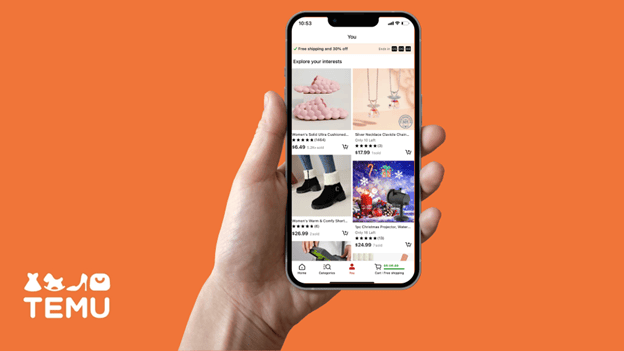
With the revolution of online shopping, websites like Temu have changed the way people shop. Often, Temu offers competitive prices with a wide variety of products. As stated earlier Temu is already the cheapest shopping platform but for those looking to get the cheapest discounts possible, there are certain ways that need to be followed. Given below is the detailed guide on how you can save more while shopping from Temu; Avail of Sales Promotion OffersTemu often runs promotions with the possibility of saving big amounts of money. Here’s how to make full use of these offers: 1. Flash Sales: Continuously check on flash sales on Temu because they run massive discounts on the listed products. They are normally within a short time; therefore, take immediate action on the flash sale.2. Daily Gift Box: Enjoy the Daily Gift Box feature in the app by claiming discounts and coupons daily, thus enabling additional savings on purchases.3. Referral Programs: If you refer friends to Temu, then you and your friend can enjoy discounts in return. Usually, new users receive a welcome coupon that can give huge savings for a first purchase.4. Lucky Cards and Coupons: Some promotions include Lucky Cards, through which one can get various coupons. Regularly check your account for available promotions and coupon codes, which one can apply at checkout. Leverage Price AdjustmentsInterestingly, a worth-mentioning thing about Temu is that the platform provides price changes. This applies to any purchase made from this store that reaches a new low within 30 days of the purchase.How to request a price adjustment? After making a purchase, follow the item’s price. Whenever it drops, you can head over to your history within the app, find the item, and request a price adjustment. It’s often quite simple and sometimes yields a refund or credit toward a future purchase. Search SmartlyYou can find a better deal by searching efficiently:1. Sort by Price: While viewing a list of items, sort them from the lowest to highest priced items. This will help you find cheaper alternatives for items that serve the same purpose.2. Compare Products: If you want something, search for it multiple times to compare different listings’ prices. Sometimes identical things are listed at different prices because they are sold by different people or for different promotional reasons. New User BenefitsIf you are new to Temu, here are some specific ways you can make the most of your first-time savings:1. Create a New Account: Make use of a new email address and mobile device that hasn’t registered the app before to get exclusive new user coupons. These often include major discounts on first purchases, like getting $25 off for a $50 order.2. Referral Codes: Use codes from friends or online at the time of signing up to unlock additional discounts. Follow Social Media and NotificationsKeep updated with the latest offers of Temu by following them on their social media:1. Social Media Engagement: Temu should be followed on platforms like Instagram and TikTok for exclusive deals and contests that may not be advertised elsewhere.2. App Notifications: Enable notifications in the app settings to receive alerts about flash sales, special promotions, and new coupon codes right on your device. Check for Coupon Options OftenAppsFreeStore has always provided Temu loyal users with the most up-to-date, comprehensive and powerful variety of coupons and coupon codes, always remember to check Temu coupons page from our website from time to time to be the first to enjoy the lowest price deals! Do Not Miss Out On Seasonal and Holiday CouponsOf course, Black Friday, Cyber Monday, and Christmas sales cover all promotions on a much deeper level. Steps to take:1. Create reminders for major shopping holidays.2. Price compare before the sale starts to ensure that those discounts are real.3. Hurry, as the best offers might get sold out in no time. Track Prices in the Long RunKeep track of product prices long-term. Utilize various online tools and browser extensions that track price fluctuations in specific items on Temu. Such tools will send notifications when prices drop below a threshold that you set. ConclusionShopping on Temu can be a very affordable experience, if one does their strategizing beforehand. Pairing coupons with referral programs, timing with sales events, allows customers to get the best deals. Keep savings in perspective while considering quality and planning purchases thoughtfully. With these comprehensive steps, you will perfect the art of bargain shopping at Temu while enjoying significant savings.

Most Comprehensive Questions & Answers during Your Use of Temu
Temu
Temu is one of the well-known e-commerce shopping sites for people, since they are selling different products at affordable costs. However, customers-both old and new-always come up with certain questions or problems regarding surfing on the website. Here are a few questions and complete solutions to ensure smooth shopping this Black Friday 2024. Common Issues Experienced with Everyday Usage1. How to Create an Account?Followed by installation from either AppsFreeStore or visiting the official website of Temu, click the “Sign Up” tab and enter the required information: email and password. After that, one is able to browse and buy whatever item he wants.2. How to Place an Order?Users can add items in their cart after selection. While checkout, tap on the cart icon, review items, and proceed to pay, where the user needs to specify shipping details and select an appropriate way of paying.3. How to Trace an Order?Users can track their orders after logging in and clicking on “My Orders.” For each order, a tracking number will be given. Temu’s Black Friday Deals 20241. Does Temu Have Black Friday Sales?Pre-sales started on October 20, 2024, and the first day of promotional activities began. This highly awaited event is going to get underway on November 29, 2024, and will run for many days.2. What Are the Different Products that Temu Will Have on Sale during the Black Friday Sale?It represents a wide product array, including but not limited to the following: electronics, furniture, accessories for pets, men/women apparel, children’s wear, toys, jewelry, home, and grocery. Some of the selected items allow discounts up to 90% off.3. Any Exclusive “Daily Deals” Available during the Black Friday Sale?Indeed, Temu presents a “Daily Deals” section where items are offered at significantly reduced prices, with some discounts soaring as high as 90%. These enticing deals are updated frequently throughout the sale event.4. How Do I Find out about the Temu Black Friday Offer?Check out all the latest announcements across all Temu official channels. More conveniently, get the best deals first by tracking and following dozens of Temu coupons or coupon codes updated daily on our AppsFreeStore! Ordering: Payment and Tracking1. What Payment Methods Are Accepted?Temu accepts various payment methods including credit/debit cards, PayPal, and digital wallets. Users should ensure their payment method is valid before attempting a transaction.2. What Should I Do If My Payment Fails?In case of a failed payment, users are supposed to recheck the card details and correctness or change to another payment option. Customer support can be reached out to for help.3. How to Handle the Situation of Delaying Order?If the order doesn’t show up on time, contact Temu’s Customer Service using the in-app chat or mail them. Temu often gives compensation for long delays. Return and Exchange Policies1. What is the Return Policy?Temu offers a return policy that allows returns within 90 days of purchase in the same condition as when purchased. Returning is initiated via the user profile by selecting the order and hitting “Return.”2. How is the Return Process Handled?After a return request submission, it will be processed by Temu within 1-3 business days. Users will check the return label under the Return tab from “Your Order,” in-app or its site, which they need to attach to the package.3. Are Return Shipping Costs Covered?Returns are permitted on every order on Temu for free, once. Any further charges will be according to the circumstance.4. What about Refunds?Refunds are processed once the returned item is received and inspected by the Temu warehouse team. Refunds are expected within a few business days after the inspection. Buy Now, Pay Later Inquiries1. Does Temu Have Financing?Indeed, it does have this “Buy Now, Pay Later” option, which eases customers in paying for orders split into installments, payable over time. It handles big purchases.2. How Do I Use Buy Now, Pay Later?If available for your order total, choose Buy Now, Pay Later option at check out. Follow on-screen prompts to set up your payment plan.3. Are There Any Fees Associated with the Financings?This is usually an interest-free option, assuming payments are made in a timely manner; though late payments may incur penalties or charges, as defined by the agreement that was established at the time of origination.